How to Choose an Office Shredder: Fellowes vs AmazonBasics vs Swingline
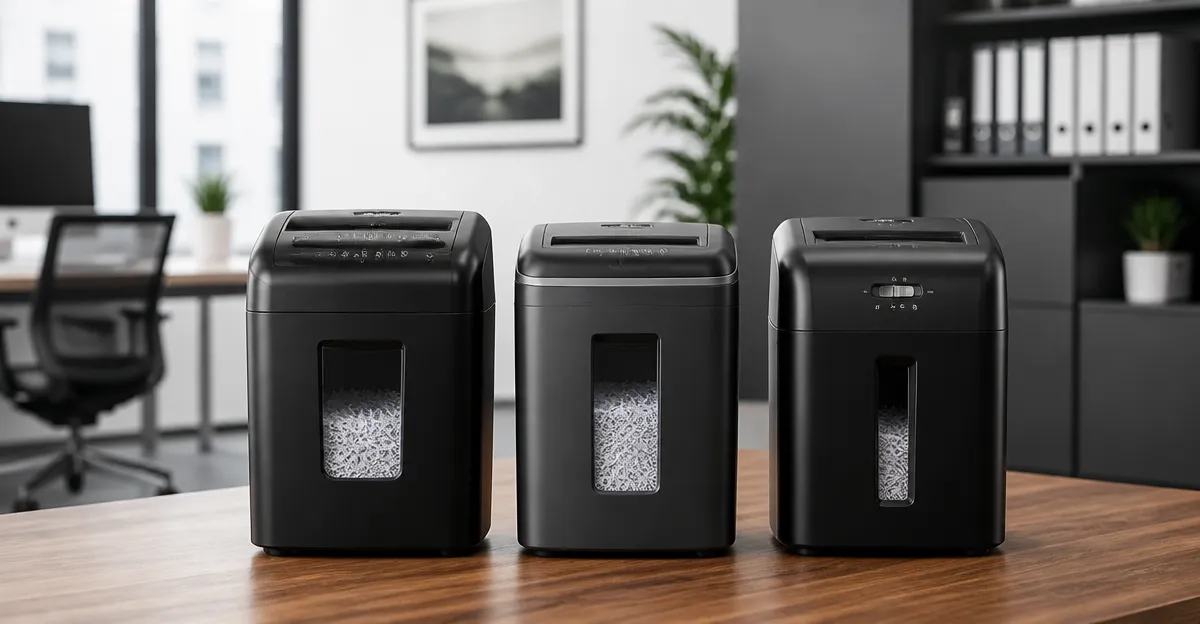
Finding a shredder that fits your office’s volume, security needs, and budget can feel like a puzzle. In this guide you’ll learn how to size up your shredding requirements, compare key specs, and use the Slack /buy command (BuyerBot) to order the right AmazonBasics model in seconds. By the end you’ll know exactly which shredder to recommend to your team and how to get it without leaving Slack.
1. What You’ll Need
Before you start, gather these items (or have them handy in your Slack channel):
- Current paper volume (pages per week)
- Desired security level (P‑3, P‑4, etc.)
- Space for a bin or pull‑out basket
- Access to Slack with BuyerBot installed
You’ll also need a shredder that matches your answers. Below are five AmazonBasics options that cover low‑to‑high volume needs.
2. Step‑by‑Step Instructions
Step 1 – Determine Your Shredding Volume
Start by estimating how many sheets your office discards each week. A small team that prints a few hundred pages a month can get by with a 6‑sheet model, while a busy department that handles thousands of pages needs a larger capacity.
If you’re under 500 sheets/week, the 6‑Sheet Shredder (price $31.48, rating 4.3/5) is a budget‑friendly choice. For 500‑1,500 sheets/week, step up to the 8‑Sheet Shredder ($35.88, 4.3/5). Offices shredding over 1,500 sheets weekly should consider the 12‑Sheet Shredder ($58.00, 4.3/5) or larger models.
Step 2 – Choose the Right Security Level
Security standards dictate how small the shred pieces are. P‑3 (cross‑cut to ~5 × 30 mm) is good for most confidential documents, while P‑4 (cross‑cut to ~5 × 18 mm) offers higher protection for sensitive data.
The 6‑Sheet and 8‑Sheet models both meet P‑4, making them suitable for HIPAA or GDPR paperwork. The 12‑Sheet Shredder drops to P‑3, which is still acceptable for most business records but not for highly regulated data. If you need top‑level security, the 24‑Sheet Shredder ($153.99, 4.3/5) and the 200‑Sheet Auto Feed Shredder ($303.98, 4.3/5) both deliver P‑4 shredding.
Step 3 – Match Runtime and Bin Size to Your Workflow
Runtime determines how long you can shred before the unit cools down. The 6‑Sheet and 8‑Sheet models give you about 3 minutes of continuous use, ideal for occasional shredding. The 12‑Sheet extends to 9 minutes, while the 24‑Sheet offers 40 minutes on and 50 minutes off. The heavy‑duty 200‑Sheet Auto Feed can run for a full hour on auto‑feed mode.
Bin capacity matters too. A 3.8‑gallon bin (6‑Sheet) needs emptying every few loads, whereas the 7‑gallon pull‑out bin on the 24‑Sheet model and the 8.5‑gallon bin on the 200‑Sheet model let you shred longer without interruption.
Step 4 – Consider Convenience Features
Look for auto‑reverse, anti‑jam, and manual reverse functions. All five AmazonBasics models include a manual reverse to clear jams, but the 24‑Sheet and 200‑Sheet add auto‑reverse and an auto‑feed tray that lets you drop a stack of paper and walk away.
If you often shred stapled documents, the 200‑Sheet Auto Feed’s “no‑need‑to‑remove‑staples” feature saves time. For occasional use, the simpler reverse button on the 6‑Sheet is sufficient.
Step 5 – Order with BuyerBot
Once you’ve picked the model that matches volume, security, and convenience, fire up Slack and type /buy followed by the product name. BuyerBot will pull up the Amazon listing, show you the price, and let you request purchase approval from your admin—all without leaving your conversation.
Example command: /buy 12‑Sheet Shredder. The bot replies with a preview, you confirm, and the admin gets a notification to approve. When approved, the shredder ships directly to your office.
Tips & Pro Tips
Tip: Keep the shredder in a well‑ventilated area. Overheating protection works best when airflow isn’t blocked.
Pro Tip: Schedule a monthly bin‑emptying routine. Even the largest 8.5‑gallon bin can fill quickly in a high‑volume environment.
Warning: Never shred metallic credit cards or spray aerosols near the unit; both can damage the motor.
Troubleshooting
Paper jam: Use the manual reverse button to back the paper out, then feed it again slowly.
Overheat shutdown: Allow the shredder to cool for the recommended 30‑45 minutes before restarting.
Bin full indicator: Empty the bin, reset the LED, and resume shredding.
Conclusion
Choosing the right office shredder is all about matching volume, security, and convenience to your team’s workflow. AmazonBasics offers a clear ladder from the $31.48 6‑Sheet model up to the $303.98 200‑Sheet Auto Feed, each with reliable P‑3 or P‑4 security and built‑in safety features. Use BuyerBot’s /buy command to get the perfect model into your office fast, and you’ll keep confidential documents safe without missing a beat.
Products Mentioned in This Guide
Frequently Asked Questions
How do I determine the right shredding capacity for my office?
Estimate weekly page volume and match it to a shredder’s sheet‑per‑minute rating; under 500 sheets/week suits a 6‑sheet model, higher volumes need larger capacities.
What security level should I choose for confidential documents?
Select a P‑3 level for basic confidentiality, P‑4 for higher security, and higher grades (e.g., P‑5) for sensitive legal or financial records.
Can I order an AmazonBasics shredder directly from Slack?
Yes, use the BuyerBot /buy command with the model name to place an Amazon order without leaving Slack.
Do I need extra space for the shredder’s waste bin?
Ensure you have room for the built‑in bin or a pull‑out basket; larger models may require a dedicated waste container.
How do Fellowes Powershred and Swingline compare to AmazonBasics?
Fellowes and Swingline typically offer higher sheet capacities and stronger security grades, while AmazonBasics provides budget‑friendly options for low‑to‑moderate volumes.