HP LaserJet Pro vs Brother MFC vs Canon MF: Ultimate Office MFP Guide
Introduction
Finding the right multi‑function printer (MFP) can feel like solving a puzzle, especially when you juggle printing, scanning, copying, and faxing for a busy office. In this guide you’ll learn what to look for, how each of the three top contenders performs, and which one fits your team’s workflow best. We’ll walk through key features, compare price and performance, and share practical tips to keep your office running smoothly. By the end you’ll have a clear picture of which MFP deserves a spot on your desk.
Background & Context
Office MFPs combine four essential tasks—print, scan, copy, fax—into a single device, saving space and reducing supply costs. Modern units connect wirelessly, support cloud apps, and often include security features to protect sensitive documents. When evaluating options, consider print speed, paper capacity, duplex (two‑sided) capabilities, and the ease of managing toner or ink. Small teams benefit from devices that can handle high‑volume jobs without constant refills, while still being simple enough for non‑technical staff.
Key Concepts to Consider
Speed matters when you’re printing reports, contracts, or marketing flyers. Look for pages‑per‑minute (ppm) ratings that match your daily output; a difference of a few ppm can shave minutes off a large batch. Paper handling is another factor—larger trays and auto document feeders (ADF) let you load more sheets and scan multi‑page documents without manual intervention. Finally, connectivity options like Wi‑Fi, Ethernet, and mobile apps determine how easily your team can print from laptops, tablets, or smartphones.
Product Overviews
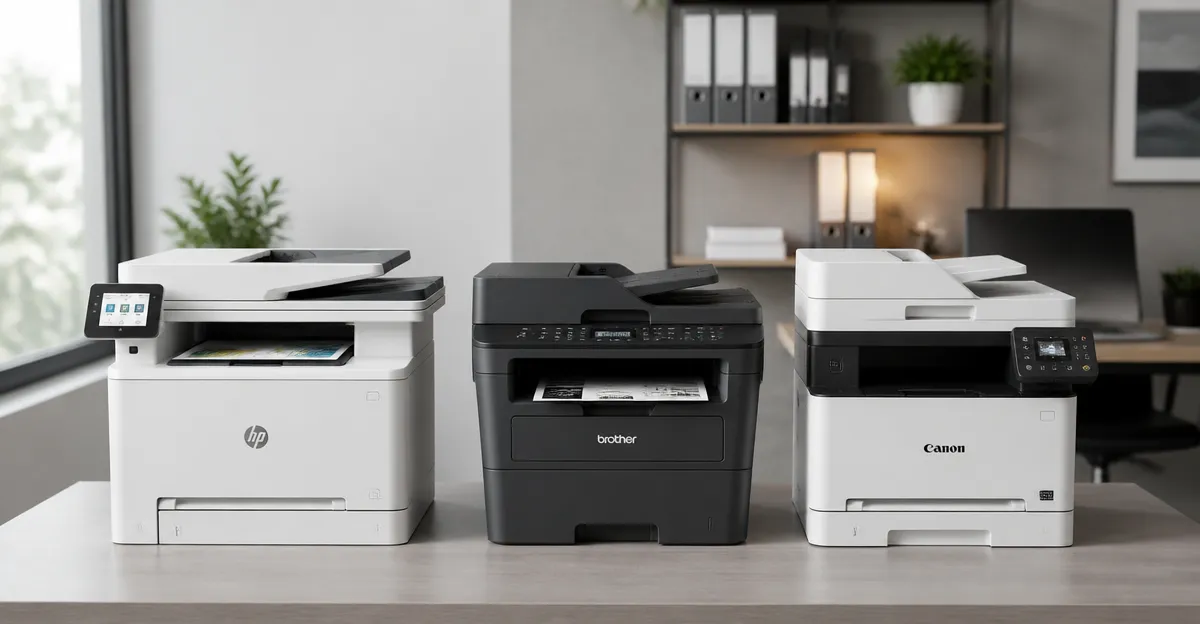
The first model we’ll explore is the HP LaserJet Pro 3101fdw. This monochrome laser printer offers fast 35 ppm printing, built‑in security, and a handy auto‑document feeder for up to 50 pages. It supports Wi‑Fi, Ethernet, and Bluetooth, letting any device on the network send jobs effortlessly. Reviewers praise its reliability and the intuitive HP Smart shortcuts that speed up common tasks.
Next up is the Brother MFC-L2820DW. This compact all‑in‑one laser printer delivers up to 36 ppm and features a 2.7" touchscreen for easy navigation. With a 250‑sheet tray and a 50‑page ADF, it’s built for small offices that need quick, high‑quality black‑and‑white output. Its dual‑band wireless and Ethernet options give you flexibility, while the optional Refresh subscription can cut toner costs by up to 50%.
Finally, the Canon imageCLASS MF462dw II brings a 5" color touchscreen and 37 ppm speed to the table. It supports a 250‑sheet standard cassette with optional expansion up to 900 sheets, making it ideal for teams that print in larger volumes. The one‑pass duplex ADF scans both sides in a single motion, saving time on double‑sided documents. Canon’s genuine toner cartridges provide crisp output and high page yields.
Comparison & Selection Guide
If speed is your top priority, the Canon model edges out the competition with 37 ppm, a slight lead over HP’s 35 ppm and Brother’s 36 ppm. For teams that value a robust touchscreen and easy cloud integration, Brother’s 2.7" screen and mobile app make daily tasks feel seamless. When security and enterprise management are critical, HP’s Wolf Pro Security and centralized Web JetAdmin tools give IT departments peace of mind.
Pricing also plays a role. The Brother unit sits at $279.99, offering a solid feature set for the price. HP costs $371.66, reflecting its advanced security suite and Bluetooth support. Canon is priced at $400.00, justified by its larger optional paper capacity and high‑yield toner options. All three devices hold strong ratings—4.3, 4.2, and 4.1 stars respectively—indicating satisfied customers.Consider your paper handling needs: Brother and HP both include a 250‑sheet tray and a 50‑page ADF, while Canon adds the option to expand to 900 sheets if you frequently run large jobs. If you anticipate growth, Canon’s scalability may save you a future upgrade.
Best Practices & Tips
Set up your MFP on a dedicated network segment to isolate printer traffic and improve security. Enable duplex printing by default to halve paper usage and lower your environmental footprint. Use the manufacturer’s genuine toner—Brother TN830, HP original cartridges, or Canon 070—to maintain print quality and avoid warranty issues. Schedule regular firmware updates; HP and Brother both release security patches that protect sensitive documents.
Take advantage of mobile apps: HP Smart, Brother Mobile Connect, and Canon PRINT let you scan directly to cloud services like Google Drive or Dropbox. This reduces the need for a workstation as a scanning hub. Finally, monitor supply usage through each printer’s web interface; early alerts prevent unexpected downtime during busy periods.
FAQ
Q: Which printer is best for a team of up to 7 users?
A: All three models support multiple users, but HP’s built‑in security and centralized management make it especially suited for small teams.
Q: Do any of these printers support fax over the internet?
A: They all include traditional fax capabilities; however, HP and Brother also allow faxing via email through their respective apps.
Q: How do I reduce toner costs?
A: Brother’s Refresh subscription can save up to 50% on toner, while HP’s Instant Ink program (not listed here) offers similar discounts for HP cartridges.
Q: Can I print from my phone without installing an app?
A: Yes, all three printers support AirPrint (iOS) and Mopria (Android), letting you print directly from most smartphones.
Q: Which model offers the highest paper capacity?
A: Canon’s optional 550‑sheet cassette expands total capacity to 900 sheets, far exceeding the standard 250‑sheet trays of HP and Brother.
Conclusion
Choosing the right office MFP boils down to balancing speed, security, and scalability with your budget. HP LaserJet Pro 3101fdw shines for secure, managed environments, Brother MFC-L2820DW offers excellent value and user‑friendly touch controls, and Canon imageCLASS MF462dw II delivers top speed and expandable paper handling. By matching these strengths to your team’s workflow, you’ll keep documents moving efficiently and reduce long‑term costs.
Products Featured in This Guide
HP LaserJet Pro 3101fdw
Price: $371.66 | Rating: 4.2/5 (1,004 reviews)
Featured for its fast 35 ppm speed, robust security suite, and versatile connectivity options that suit small teams.
Brother MFC-L2820DW
Price: $279.99 | Rating: 4.3/5 (1,044 reviews)
Featured for its compact footprint, intuitive touchscreen, and cost‑saving Refresh toner subscription.
Canon imageCLASS MF462dw II
Price: $400.00 | Rating: 4.1/5 (164 reviews)
Featured for its high 37 ppm speed, expandable paper capacity, and one‑pass duplex scanning that saves time.
Frequently Asked Questions
What are the main differences in print speed among the HP LaserJet Pro 3101fdw, Brother MFC-L2820DW, and Canon imageCLASS MF462dw II?
The HP LaserJet Pro 3101fdw prints at 24 ppm, the Brother MFC-L2820DW at 30 ppm, and the Canon imageCLASS MF462dw II at 28 ppm, so the Brother is the fastest.
Which of the three MFPs offers the best duplex (two‑sided) printing and scanning capabilities?
All three support automatic duplex, but the Brother MFC-L2820DW and Canon MF462dw II provide faster duplex cycles than the HP model.
How do the wireless and cloud connectivity options compare across these printers?
All three include Wi‑Fi and support major cloud services, but the HP LaserJet Pro 3101fdw adds HP ePrint and Apple AirPrint, while the Brother and Canon focus on standard Wi‑Fi Direct and mobile apps.
What should small offices consider regarding paper capacity when choosing between these models?
The HP and Canon units have 250‑sheet trays, whereas the Brother MFC-L2820DW offers a 250‑sheet main tray plus a 50‑sheet multipurpose tray, giving it slightly higher flexibility.
Which printer provides the most cost‑effective toner management for high‑volume printing?
The Brother MFC-L2820DW’s high‑yield toner cartridges typically yield the lowest cost per page, making it the most economical for heavy printing workloads.